How Perplexity Indexes Websites
PerplexityBot's crawl is dual-horizon — same event feeds training data and live index. The technical profile, refresh cadence, and indexing playbook.
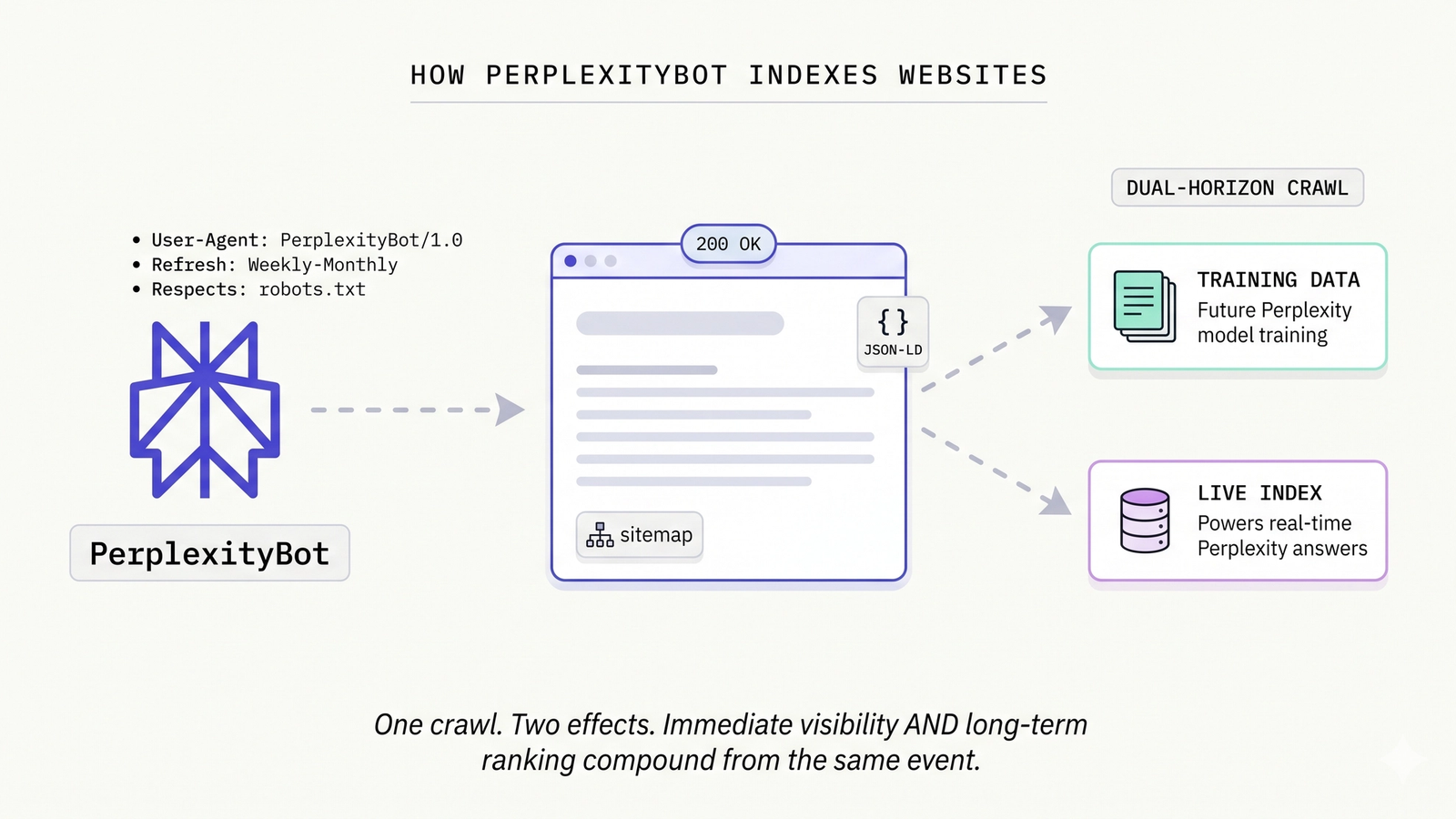
PerplexityBot is the only major AI crawler that's both a training-data crawler AND a live-search-index crawler. Understanding what it actually does when it visits your site is unusually high-leverage because the crawl event has dual-horizon effects — immediate visibility and long-term ranking compound from the same crawl.
This is the technical companion to How Perplexity Sources Answers. That guide covered the citation logic — what gets selected from the index. This guide covers the indexing mechanics — what enters the index in the first place. Same platform, two layers, both matter.
PerplexityBot — The Technical Profile
User agent string: Mozilla/5.0 AppleWebKit/537.36 (KHTML, like Gecko; compatible; PerplexityBot/1.0; +https://perplexity.ai/perplexitybot)
Published IP ranges: Perplexity publishes its IP range list at perplexity.ai/perplexitybot.
Crawl behavior:
- Respects robots.txt
- Identifies itself honestly (no spoofing)
- Refresh cadence: weekly to monthly for established sites, monthly initial for newer sites
- Politeness: respects
Crawl-delaydirective; uses 429 + Retry-After backoff - Parallelism: moderate; not aggressive enough to consume meaningful bandwidth on most sites
For full crawler reference (alongside GPTBot, ClaudeBot, etc.), see GPTBot, ClaudeBot, PerplexityBot Explained.
What PerplexityBot Stores
When PerplexityBot crawls your site, it captures and indexes:
- HTML content — the rendered page text after server-side rendering or pre-rendering
- Structured data (JSON-LD) — extracted from
<script type="application/ld+json">blocks - Linked images and their alt text — the alt attribute is what gets stored, not the image content itself
- Internal link graph — which pages on your site link to which others
- Outbound link graph — your site's external link profile
- Last-modified timestamps — from
lastmodin sitemap.xml anddateModifiedin JSON-LD
This combined index becomes the substrate Perplexity uses to answer queries — selecting sources, generating responses, and citing pages with linkable URLs.
What PerplexityBot Ignores or Skips
Equally important — what doesn't enter the index:
JavaScript-rendered content (limited render budget)
PerplexityBot has a render budget significantly smaller than full Googlebot. JS-only critical content frequently isn't parsed. If your product information, comparison content, or core brand differentiators only render after client-side JS execution, PerplexityBot misses them.
This is the most common cause of weak Perplexity indexing for modern SPA-style sites. The fix is server-side rendering or static pre-rendering of priority content.
Image content (no OCR)
PerplexityBot does not OCR images at index time. Brand claims, certifications, ingredients, or specs locked inside image cards are invisible. The alt text is captured; the image content is not.
For D2C brands and image-heavy sites, this is the same PNG-content problem covered in GEO for D2C Brands. Same fix: HTML-text equivalents alongside the visual design.
Pages blocked in robots.txt
Standard. PerplexityBot respects Disallow: rules.
Pages with HTTP errors or excessive redirects
5xx errors during crawl, soft-404s, redirect chains beyond 2-3 hops — all reduce indexing quality. PerplexityBot may skip these on subsequent visits.
Excessively duplicated content
Multiple URLs with substantially similar content split indexing signal and dilute citation eligibility. PerplexityBot favors canonical, unique content.
Refresh Cadence and Crawl Prioritization
How often PerplexityBot returns to your site depends on a few signals:
- Established sites with regular publishing: weekly to monthly refresh
- Newer sites: monthly initial visits, ramping up as authority signals develop
- Sites with strong inbound link profiles: more frequent recrawl
- Sites with stale content (long unchanged dateModified): less frequent recrawl
- Sites with crawl errors: reduced frequency until errors resolve
How to encourage faster recrawl
Three patterns that work:
- Maintain an updated `sitemap.xml` with current
<lastmod>values. PerplexityBot uses sitemap freshness as a recrawl signal. - Publish on a regular cadence. Even small steady output is a stronger signal than sporadic large publishes.
- Earn authoritative inbound links. Perplexity respects backlink signals more than other AI platforms; new backlinks accelerate recrawl.
Unlike Google Search Console's URL Inspection / "Request Indexing" feature, Perplexity does not have a direct submission mechanism. The pathway is content quality + link signals + sitemap freshness.
What Blocks Perplexity Indexing
Five common patterns that produce weak or zero PerplexityBot coverage:
1. PerplexityBot blocked in robots.txt
Most common cause. Audit your robots.txt for User-agent: PerplexityBot followed by Disallow: / — sometimes inherited from overly conservative starter templates. (See AI Crawler Access Guide for the full robots.txt allow list.)
2. JS-only critical content
Already covered. Server-side render or pre-render priority content.
3. Soft-404s or thin content
Pages under 400-500 words with no original substance get filtered at the eligibility stage. Perplexity rewards depth.
4. Aggressive Cloudflare or WAF bot blocking
Cloudflare's "Bot Fight Mode" challenges all bots aggressively, including legitimate AI crawlers. AI bots fail the CAPTCHA and appear as zero traffic in your origin logs even though robots.txt allows them. Same for AWS WAF managed rule sets that flag AI bots by default.
The fix: in Cloudflare dashboard → Security → Bots, disable Bot Fight Mode or add explicit allow rules for AI crawler user agents and IP ranges. Audit other CDN/WAF configurations for analogous blocks.
5. Server errors during crawl
Persistent 5xx errors during PerplexityBot's visits cause it to back off. If your site has reliability issues, fix them before expecting strong Perplexity indexing.
The Perplexity Indexing Playbook
Five actions in priority order:
1. Allow PerplexityBot in robots.txt
User-agent: PerplexityBot
Allow: /
Time: 5 minutes. Effect: 4-8 weeks for crawl + index.
2. Server-side render or pre-render critical content
Avoid JS-only rendering for primary content. Critical pages should serve meaningful HTML on the first byte without requiring JavaScript boot.
Time: varies by site. Effect: 4-8 weeks for indexing improvement on previously-blocked content.
3. Maintain a clean sitemap.xml with current lastmod values
Generate sitemap.xml dynamically (or at build time). Include <lastmod> values that update when content changes. Submit the sitemap path in robots.txt:
Sitemap: https://yoursite.com/sitemap.xmlTime: hours to set up properly. Effect: faster recrawl on content updates.
4. Build internal link structure
PerplexityBot discovers content through internal links. A page that's only reachable through site search or 4+ clicks deep may not get indexed. Audit your internal linking — every priority page should be reachable from the homepage in 2-3 hops via navigation or in-content links.
Time: ongoing content production discipline. Effect: better content discovery; more comprehensive indexing.
5. Earn authoritative inbound backlinks
Perplexity respects backlink signals more than the other AI platforms. Earned coverage on industry publications, podcasts, review sites, and authoritative third-party content all feed both indexing prioritization AND citation rate.
Time: months (compounds). Effect: better recrawl frequency, better citation rates.
Frequently Asked Questions
How do I check if PerplexityBot has crawled my site?
Server-side log analysis. Grep your access logs for the PerplexityBot user agent string over a 7-30 day window. Aggregate by URL to see which pages have been crawled. The exact commands for nginx and Apache are in the AI Crawler Access Guide.
If you see zero hits despite allowing PerplexityBot in robots.txt, something is blocking it upstream of your origin server (typically Cloudflare Bot Fight Mode or a WAF rule).
Does Perplexity respect canonical tags?
Yes. PerplexityBot reads <link rel="canonical"> and uses it to consolidate indexing signals on the canonical URL. If you have multiple URL variants of the same content, set canonical correctly to consolidate citation signal.
What about hreflang for multi-language sites?
PerplexityBot reads hreflang annotations and uses them for language-aware indexing. For sites serving multiple languages or geographies, deploy hreflang correctly. This affects which page version gets cited for users in different regions.
For Indian brands serving multilingual audiences, English-language pages tend to earn more Perplexity citations than Indic-language equivalents (see GEO for Indian Brands for the full analysis), but hreflang lets the model select the right language for the user context.
How do I de-index something from Perplexity?
Two paths. (1) Add Disallow: rule for the URL in robots.txt — PerplexityBot will stop crawling and the URL will fall out of the index over weeks as the existing entry stales out. (2) Add a <meta name="robots" content="noindex"> tag — PerplexityBot respects standard noindex directives.
For URLs you want completely removed (legal takedowns, accidental publishes), the robots.txt + noindex combination plus contacting Perplexity support directly is the most reliable path.
How long after I publish new content does Perplexity index it?
For established sites with active publishing cadence, days to weeks. For newer sites or sporadic publishers, weeks to months. PerplexityBot's recrawl cadence is the gating factor. Submitting an updated sitemap.xml with the new content's lastmod accelerates recrawl.
Run Your Perplexity Indexing Audit
Citare measures Perplexity surface rate alongside the other three major AI platforms — and surfaces the indexing-side issues (PerplexityBot block, JS-only rendering, Cloudflare WAF blocking) that cap your visibility ceiling regardless of content quality.
Run your free AI visibility audit → [citare.ai/audit]